
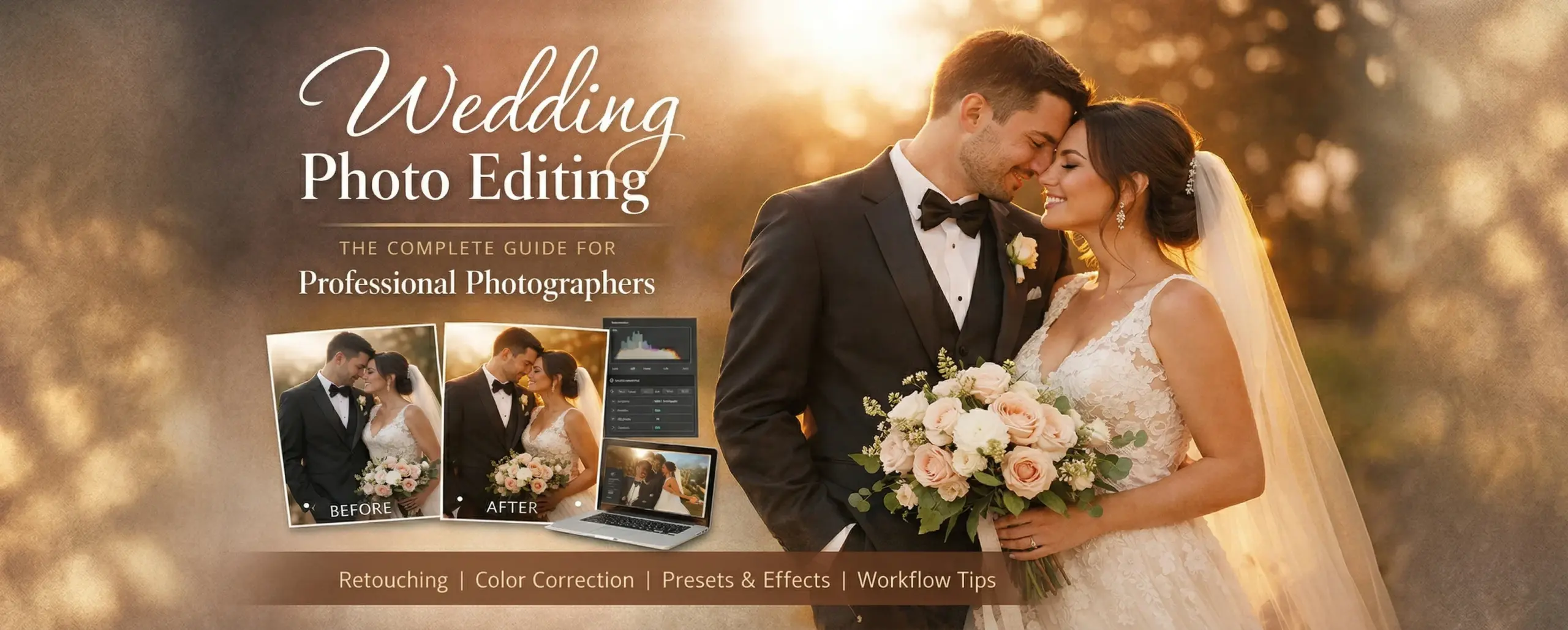
Editing wedding photos usually takes between 15 and 30 hours for each event. This is the time that most photographers spend on culling, colour correction, skin retouching, and sending out 400 to 800 final shots. You’re not the only one who feels nervous about that number. You’re at the correct spot.
This guide covers everything, from the whole editing process to culling tactics, colour grading, style-specific editing, outsourcing, and how to make a system that can grow. This is the wedding photo editing guide for photographers who want to work smarter, whether you’re a solo shooter just starting or a studio owner with a full season calendar.
Some of the tips and workflow concepts in this article come from real-life experience working with professional wedding photographers from all over the world. For years, Photodotedit has helped photographers of all levels, from solo shooters who are just starting to established studios that handle dozens of weddings a month, get their time back without lowering their editing standards. A lot of what you will see here comes from my experience working with thousands of real wedding galleries.
Why Wedding Photo Editing Is a Make-or-Break Skill for Photographers
You may be the world’s best tech photographer. You can practice composition, cope with wedding venue illumination, and achieve a tearful look between newlyweds. If your editing is inconsistent, uninteresting, or hurried, the client won’t care.
Wedding photographers sell products. The final gallery and site time are paid for by couples. You get edited photos. Procedure is everything else.
Reasons why wedding photo retouching is not a secondary skill. Shooting skills are crucial to your business. Better-edited galleries earn more recommendations. It encourages Instagram reposts. It gets five stars for “gorgeous, consistent editing” and “captured every emotion perfectly.”
However, uneven skin tones, blown highlights that might have been rectified, inconsistent white balance across a gallery, or an over-processed look that goes out of style quickly quietly lose appointments. Couples browse old photos before asking. Editing is often the first thing people notice about your work, not shooting.
Most photographers don’t sit down and honestly figure out the business case. Your daily rate is competitive. After that, you spend three full days in Lightroom. The maths on that plan every hour is hard to deal with. Services like Photodotedit exist to tackle this problem by doing the post-production work for photographers so they can spend more time shooting, talking to clients, and building their business. How well you handle your editing process, whether you do it yourself or hire a trusted partner, has a direct and measurable effect on your profits and your mental health over a lengthy period of time.
The Wedding Editing Workflow: From Memory Card to Final Gallery
A solid post-production approach saves hours of mayhem each week, safeguards assets, and is consistent. This foundation works for most professional wedding photographers.
- Ingest and Backup: Import all memory cards shortly after the wedding. Use Photo Mechanic or Lightroom’s import module. Always back up to two locations—one local and one cloud or remote. Do not skip this step. Losing customer wedding photos is career-ending.
- Culling: Select photographs to modify from your whole take. This is one of the most time-consuming steps and deserves its own section.
- Base Editing in Lightroom: Set all selected photos to your base preset or custom starting point. Then, correct exposure, white balance, highlights, shadows, color grading, and noise reduction for each image.
- Advanced Retouching: Photoshop can be used for skin retouching, blemish removal, background cleanup, and composite work on hero pictures like portraits, the first dance, and getting ready.
- Export and Deliver: Export JPEGs at the right resolution and color space (sRGB for web and print). Notify clients and upload to the client gallery.
- Archive: Raw and final edits should be archived. Photographers preserve raws for a year or forever. Set and follow a policy.
- Export, Delivery, and Album Design: Finally, send the couple and web gallery the files. The couple gets full-resolution JPEGs and the gallery web-optimised ones. If your gift includes an album, organise the photos and make layouts.
These tasks require time. The amount is always larger than expected for new photographers.
Culling: How to Select the Best 400–600 Shots from 3,000+
Selecting photos for survival is culling. It is brutal and effective when done right. If done poorly, it takes hours and yields uneven outcomes.
You want to reduce your raw take of 2,000 to 4,000 photographs to 400 to 800 edited shots, depending on your package and shooting style.
- Use the right tool: The industry standard for rapid culling, Photo Mechanic displays previews from embedded JPEGs instead of processing raw files, making it far faster than Lightroom. If you’re doing everything in Lightroom, use survey mode and compare view to make judgments quickly.
- Develop a consistent rating system: One star indicates keep for possible inclusion, two stars means certainly include, and three stars signifies hero image for special attention. Use whatever language works for your workflow, but be consistent.
- Be brutal about technical failures: Cut immediately for eyes closed, motion blur, missing focus, and bad exposure. Do not keep them for feeling or guilt. If you erase an image, your clients won’t know it existed, but they will notice soft or badly exposed photos.
- Look for emotion over technical perfection: A little flawed groom crying during the vows is better than a technically beautiful frame with a flat expression. Prioritise emotional honesty.
- Eliminate near-duplicates: Photographers shoot sequences—five near-identical ring exchange frames, eight bracketed pair walking pictures. Choose the best sequence and eliminate the rest.
Professional photo culling services can review your photos and flag selects based on your preferences. Outsourcing culling can save photographers several hours every wedding if they shoot several per month.
Color Grading and Lightroom Presets for Wedding Photos
Color grading shows your editing technique. The process shapes not only how an image looks but also how it feels—warm and golden, cool and cinematic, clean and airy, or rich and melancholy.
- Start with exposure and white balance: Correct your foundation before applying creative color. Gallery exposure and white balance must be consistent. Clients notice when one image is warm orange and the next cool blue without a cause.
- Develop or purchase a base preset: The parameters of a Lightroom preset can be applied to an image with one click. Most professional wedding photographers start with a trademark preset or a few. Preset sets from famous photographers can be a strong basis to personalise to your style.
- Work with HSL sliders for nuanced control: The Hue, Saturation, and Luminance panel in Lightroom controls colors channel-by-channel. Editors often desaturate oranges in skin tones, raise green brightness for outside photos, and warm up reds in ceremony candlelight to make editing look intelligent.
- Use masking tools for local adjustments: Modern Lightroom’s linear gradient, radial gradient, and AI-powered subject and sky masking features let you edit particular regions without impacting the full image. Intelligent masking can brighten a backlit portrait face or recover a blown-out sky without hurting the couple.
- Develop consistency tools: Lightroom’s sync function lets you copy and paste settings from one image to dozens of comparable shots in seconds. Taking reception photos in the same venue lighting saves a lot of time.
Skin Retouching and Smoothing: When Is It Too Much?
Skin retouching in wedding photos is contentious. People in partnerships want to look well. They frequently desire to look like themselves. Calibration is the trick.
- The Baseline, Temporary vs. Permanent: The difference between temporary and permanent skin features helps make retouching decisions. Cold sores, blemishes, and stress breakouts are temporary. People usually prefer being taken away. Freckles, scars, birthmarks, and 42-year-old skin texture are permanent. If you remove them too rapidly, they may not appear like themselves. Proceed cautiously.
- Tools for Natural Skin Retouching: Lightroom’s Healing Brush removes imperfections without Photoshop. Photoshop’s frequency separation method is great for advanced retouching like smoothing, dodging, burning skin texture, and removing eye shadows. Frequency separation smooths tone without affecting skin texture by separating the two layers. Skin appears natural and refined.
- How Much Is Too Much?: If the subject can see themself in the mirror, you’re in the right range. If their mother can’t identify them, you’ve gone too far. Couples are growing increasingly conscious of the distinction between smooth and textured skin.
Discuss retouching expectations with clients during meetings. Some couples want lots of editing. Some desire little. Get to know something before spending time on it.
Editing for Different Wedding Styles: Dark & Moody, Film, Airy & Bright
Wedding photography styles have never been more diverse. Once, there was one dominant editing style. Contemporary couples choose photographers based on how well their style fits theirs. This makes your editing style artistic and commercial.
- Dark and Moody: The dark and moody look has deep shadows, less exposure, less saturated or altered color palettes (greens to teal and oranges to brown), and a dramatic, editorial cinematic sense. It works well in low-light settings like forests or factories and for couples who appreciate dramatic, emotional stories. Reduce the exposure, crush the blacks, desaturate the HSL panel, and add bright orange highlights and cooler shadows in Lightroom.
- Film-Inspired Editing: Film photography’s beautiful, timeless appeal is perennially in style since it recalls a time before digital photography. Film-inspired editing features increased blacks (the “faded” shadow appearance), muted saturation, slightly changed color channels (pushing greens yellow and pulling reds orange), and a grain overlay that appears like film stock texture. Warm and flawed is the opposite of clinical digital clarity.
- Airy and Bright: The cheerful look contrasts with the gloom. High-key exposure, clean whites, moderate contrast, pastel or neutral colors, and an open, cheerful feel. Many couples use it for outdoor summer weddings, destination parties, and bright, cheery galleries. Increased exposure, less contrast, pulled-back highlights, elevated shadows, and a soft, creamy HSL panel are needed.
- Consistency Across a Gallery: Consistency matters most regardless of style. A portfolio including film-look portraits, bright, airy candids, and dark, sad receptions appears to have been shot by three photographers. Your style should be evident in every photo in the collection, regardless of lighting.
How Long Does Wedding Photo Editing Actually Take?
Let’s be honest about the numbers: most new photographers way underestimate how long it will take to edit their photos.
Editing wedding photos usually takes between 15 and 30 hours for each event. This depends on how many photos were taken, how complicated the edits are, the style being used, and how experienced and efficient the photographer is at their job.
This is a reasonable breakdown:
- Culling: It takes 2 to 4 hours to cut down 2,000 to 3,500 catches to 400 to 600 selects.
- Batch base editing: It takes 1 to 2 hours to apply and change your base preset to all of your picks.
- Individual color correction: 4–6 hours, going over the selects one at a time.
- Skin retouching (choose images): 3 to 6 hours, depending on how many portraits need a lot of work.
- Artistic edits and black and white conversions: Black and white conversions and artistic tweaks take 1–2 hours.
- Export and delivery prep: One hour for preparing for export and delivery.
- Album design (if included): If album design is involved, it will take an extra 3 to 6 hours.
- Total: Editing alone takes 12 to 27 hours, with album design if needed.
These numbers can be much higher for photographers who are just starting with the workflow. The lower end of the range is possible for photographers who have very well-organised workflows and powerful presets. But no one, no matter how experienced, can avoid the basic time cost of carefully editing 400 to 600 photos.
The Hidden Time Cost: Why Photographers Lose 15–20 Hours Per Wedding
These editing hours are real. However, editing’s hidden costs might make photographers’ time costs much greater.
- Context Switching Cost: Every time you edit after a break, you need to reorient. Your eye must adjust to the photos, reconnect with the style you were building, and find your place in the sequence. If you’re editing a wedding with five sessions (which is typical for busy photographers), each restart wastes 20–30 minutes. It adds an hour or more to the editing process.
- Decision Fatigue: Editing 500 photos requires time and mental energy. Your options at 400 are worse than at 50. Your previous changes are questioned. You forget how consistent the gallery is. Looking at the final pass with fresh eyes reveals problems that developed when your judgment was poor.
- The Perfectionism Trap: Most photographers are their worst critics. They modify previously edited photos, change their minds, then edit again. This is a mental loop, not quality control, that can add hours to a work without improving it. Setting a defined endpoint for each editing session takes practice.
- The Opportunity Cost: The number that matters most to your business is 15–20 hours of editing time, which you can’t spend shooting, marketing, meeting clients, developing your portfolio, or doing anything else that helps your business grow. As a solo photographer who edits 30 weddings a year, you’ll spend 600 hours—25 days—in Lightroom instead of with clients or behind the camera.
DIY Editing vs. Outsourcing: Honest Time and Cost Comparison
Every photographer who edits their own images must ask: is it worth it? Do the honest comparison.
- DIY Editing Costs: Imagine editing 30 weddings a year. That’s 600 hours of editing every year, or 20 per wedding. For an experienced wedding photographer, earning $100 an hour is a modest number, so you spend $60,000 editing each year. Even at $50/hour, it’s $30,000. How much time could you have spent doing something else? More importantly, is editing the best use of your time?
- Outsourcing Costs: Professional wedding photo editors charge $0.10–$0.40 per photo for basic color correction. That’s $75 per wedding at $0.15 each photo and 500 photographs. This amounts to $2,250 a year for 30 weddings, a minor portion of the time cost mentioned. Advanced skin retouching costs $1.50–$4.00 per image at the finest companies. This means every wedding would cost $30 to $80 more for a 20-image photo set.
- What You Get Back: Not even the money comparison is strong. The most important thing is what you do with your time back. Photographers who hire professional editors say they book more weddings (because they have time to market and meet clients), get galleries out faster (because professional editors work faster), get less burnt out (because they don’t have to do editing marathons after the season), and get more consistent results.
- The Objection: “My Style Won’t Transfer”: The most common reason people don’t outsource is fixable. A good outsourcing relationship takes two or three weddings to learn your style. A good editing crew can duplicate your look as well as you can when you’re sleepy and focused.
How to Outsource Wedding Photo Editing Without Losing Your Style
Fear of losing your appearance is understandable. How to outsource with style.
- Document Your Style Explicitly: Before sending your first assignment to an editor, create a style guide. This needn’t be formalized. It may be a Lightroom collection containing 20–30 of your favorite changed photographs and remarks about them. If you provide skin tone, black point, warmth, and contrast, an editor can better duplicate your style.
- Send Reference Images: Always include 5–10 edited photographs with RAW files. None of these is ideas. There are dress codes. Your editor should match them, not use their taste. Start with a Test Batch: Most decent editing companies provide free trials on a few photographs. Use it. Send 10–15 photos from a recent wedding, along with your changed versions and the guide photos. Before accepting a full task, review the findings. For instance, Photodotedit offers free editing trials. Before paying, email them five photos to see their work.
- Establish Feedback Loops: The first two or three tasks with a new editing service should include precise, written revisions. Make marks on photos. Explain to the editor what to modify and why. This levels the relationship. Early feedback reduces modifications, saving time on subsequent tasks.
- Be Consistent on Your End: You need regular shooting to get consistent editing. Any editor, including you, finds it difficult to create a consistent gallery due to dramatic exposure shifts, unequal lens selections, and mismatched color temperatures. Better editing results from consistent field technical skills.
What to Send Your Editor: File Formats, LUT Files, Lightroom Presets
It is a useful ability to know how to send your files to an editor. This is what you need to know.
- File Formats: Send RAW files when possible. This provides the editor with the most color and dynamic range data. Canon uses CR2 or CR3. Nikon NEF. Sony ARW. Most professional editing services support all typical RAW files. JPEGs should be full-resolution and little processed in the camera if your contract or workflow requires them. Some photographers provide JPEG culling. JPEGs that are overly crisp or compressed are difficult to edit.
- Lightroom Presets: Send your unique Lightroom preset. Most editing services might start with your preset and make alterations. Lightroom presets can be exported using the Develop module preset window or File > Export with Preset. It should accompany your file delivery.
- LUT Files: If you utilize LUTs for color grading, export and include them. Cinematic or movie-inspired fashions often use this. Indicate their workflow utilization and opaqueness.
- Editing Notes: Briefly summarize each task. Don’t make this long. Just a paragraph about the venue and lighting conditions, any specific issues that day (like mixed lighting in the reception hall or harsh midday sun during portraits), which images need the most detailed retouching, and any client requests about how they want to look. Giving more background improves results.
Turnaround Times: Setting Client Expectations
One of the most common causes of problems between wedding photographers and their clients is turnaround time. Couples can’t wait to see their pictures. It’s really important for managing your reputation to set clear expectations when someone books and then follow through on them.
- Industry Standard Turnaround: Ceremony images are usually given four to eight weeks following the ceremony. This range exists. In peak season, most photographers are working on multiple projects, and editing a wedding shot takes time.
- What Clients Actually Expect: Many couples who utilize Instagram and other wedding multimedia platforms want their photos faster than average. Especially when they want to share them fresh from the wedding. This should be done beforehand. Many photographers avoid this by providing the couple a 20- to 30-photo teaser gallery within 48–72 hours of the wedding. This lets the couple share something right now as you finish the gallery.
- How Outsourcing Affects Turnaround: Regularly, Photodotedit can edit a wedding, including culling, in less than 24 hours. Larger or more challenging assignments may allow them to work longer. You can’t offer same-day delivery because you need to check quality and export the finished product, but this cuts the timetable. Outsourced photographers claim they can produce galleries in two to three weeks instead of six to eight, giving them an advantage over their competitors.
- Build Buffer Time: Tell people your typical turnaround time, but don’t aim for it. If you regularly deliver in four weeks, tell clients you’ll deliver in six. Delivery takes four days. They always appreciate early deliveries. One late delivery will annoy them, even if it’s a week late.
Building Your Editing Workflow Around Outsourcing
If you’ve decided to use outsourcing in your organization, you should set up a procedure that makes it easy to send files and get them back with as little work as possible.
- Create a Standard Handoff Package: As with every job, your editing service should receive: RAW files in folders with labels, your Lightroom preset file, 10 reference photographs modified in your style, a short wedding description, any special notes, and a clear note about which images need intensive retouching and which merely need color correction. Spend 20 minutes properly organizing a handoff package to save two hours of back-and-forth adjustments. Add this to your post-wedding to-do list.
- Build Quality Review Into Your Schedule: When your service returns updated files, you need time to review. Do not schedule a client meeting or shoot on the day your edits arrive. A quality check should take two to three hours, preferably the morning after you receive the files, when your eyes are fresh. Sort the gallery, flag photographs that need to be modified, and send them back with comprehensive notes as a revision request.
- Use Consistent File Naming: Naming files consistently for each job simplifies communication with your editing service. A simple format like YYYY-MM-DD/ClientName_XXXX (where XXXX is the sequential image number) helps your editor understand which file you mean when you give revision feedback with a picture number.
- Review, Rate, and Refine the Relationship: Every few months, evaluate your editing service’s work and discuss what’s working and what’s not. Outsourcing works best when both parties collaborate. Editors understand your style over time. You improve faster at reviewing. More time means higher system performance.
Try Photodotedit’s Wedding Photo Editing Service
You started in wedding photography because you love taking pictures of people at one of the most important times in their lives. You didn’t want to spend three days a week in Lightroom.
Photodotedit is here to help you get those days back.
We offer expert wedding photo editing services to photographers of all levels, from solo shooters doing their first full season to established studios doing more than 50 weddings a year. We offer culling, RAW conversion, colour correction, comprehensive retouching, artistic editing, and designing digital albums, among other things. We do things the way you want them done.
For $0.10 per image, we can fix the colour in our regular way. Culling costs $0.03 each image. Most wedding galleries are done in less than a day. We do what you want with your style, presets, and vision.
The best approach to find out if we’re a good match is to give it a shot.
Send us five pictures from a wedding you went to recently, and we’ll give you a free trial edit. No credit card or commitment needed.
A crew that does this every day will edit your pictures in your style on a professional timescale. Then make a choice.
You should have your camera in your hands. Let us take care of what occurs next.
Photodotedit offers professional photographers all over the world services including editing, culling, retouching, and designing wedding albums. We help photographers in the US, UK, Australia, and all over the world.
How many pictures should a wedding photographer give you?
The industry typical for full-day weddings is 400–800 edited photos. The number depends on the length of the coverage, the number of events (ceremony, cocktail hour, reception), and how you shoot. Most contracts specify how many photographs photographers must provide, but not how many.
What do most wedding photographers use to edit their photos?
Adobe Lightroom Classic is the most popular wedding photo editor and color corrector. Photographers who prefer color science and tethering should try Capture One. Most professionals use Photoshop for retouching.
Should I take pictures in RAW or JPEG for weddings?
Raw all the time. The dynamic range advantage is too great to lose, especially when recovering blown highlights in bright outdoor weddings or bringing out shadow detail at gloomy reception locations. Storage is cheap. JPEG can’t recover RAW information.
How do I make sure that my editing style is the same in all of my galleries?
Create a solid basic setup for most lighting conditions. Apply it to all your picks as a starting point and make changes as needed. Individual picture editing won’t help you maintain consistency. A solid foundation is needed. Instead of skipping galleries, edit them in order. This helps you follow the plot.
Is it okay to inform clients that I have hired someone else to do my editing?
People demand it more and more. Your clients hire you for your shooting, vision, relationships, and final result. Most companies are not hiring for the 20-hour-a-week Lightroom user. Tell the truth if asked. Professional photographers who shoot many photos work with editing teams and don’t hide it.
What is the difference between editing and culling?
Culling involves selecting photos from a shoot. Photo editing fixes and improves selected photos. Many photographers employ someone to perform one or both since they require talent and time.
What should I do with the pictures the couple doesn’t like after I send them?
Make sure your contract provides a revision policy. Tell your clients what changes you can do (retouching, exposure, etc.) and what you can’t (reshooting, style change). Meeting before the wedding to set expectations is the best approach to avoid difficult conversations afterwards.